How to Login to the Cloud Console
To access the Cloud Console and manage your cloud services, follow these steps:
Important Notice
As of March 2026, we've updated our login system. Region selection is no longer required, simplifying the sign-in process. Please generate a new password to complete your transition to the new authentication system.
Important Prerequisites
Your Cloud Console login ID might be the same as your email address, but the passwords are different. Don’t mix up your email password with the portal password — they’re totally separate!
If you happen to forget your portal password or this is your first time logging in, no worries — just follow the steps below to reset it. No stress!
Accessing the Cloud Console
-
Open your preferred web browser and navigate to the Cloud Console URL at https://console.secureax.asia/.
-
Login when prompt:
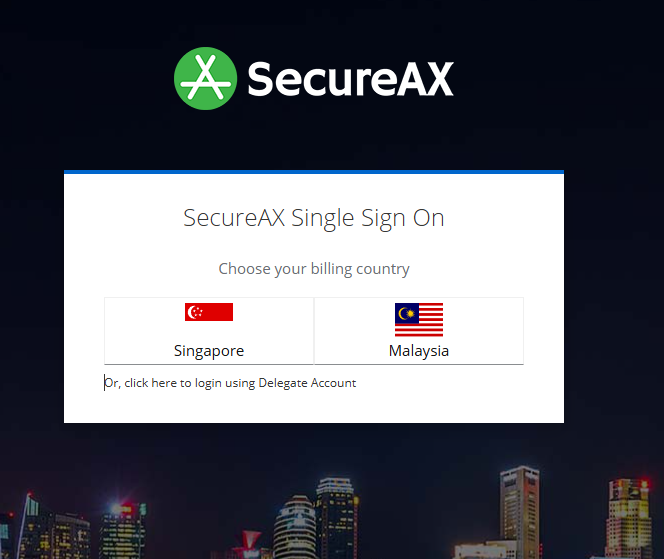
Login Credential
Please be reminded that the Cloud Console login ID password is different from your email login. We recommend that you read this information carefully to avoid any login problems.
I need help, I forget my password!
If you have forgotten your password, click on "Forgot Password?" and then enter your email address used during the sign-up process to reset & recover the password.
-
You will be greeted by our Cloud Console once you successfully login

Troubleshooting Login Issues
If you encounter any issues while logging in:
-
Check your credentials: Ensure you are using the correct username and password. If you’ve forgotten your password, use the “Forgot Password” link to reset it.
-
Verify your internet connection: Ensure you have a stable internet connection.
-
Clear your browser cache: Sometimes, clearing the browser’s cache and cookies can resolve login issues.
-
Contact Support: If you still face issues, contact our support team for assistance.